Kafka
Introduction
- Created by LinkedIn, now an Open-Source Project mainly maintained by Confluent, IBM, Cloudera
- Distributed, resilient architecture, fault tolerant
- Horizontal scalability
- Can scale to 100s of brokers
- Can scale to millions of messages per second
- Hight performance (latency of less than 10ms) - real time
- Used by the 2000+ firms, 80% of the Fortune 100
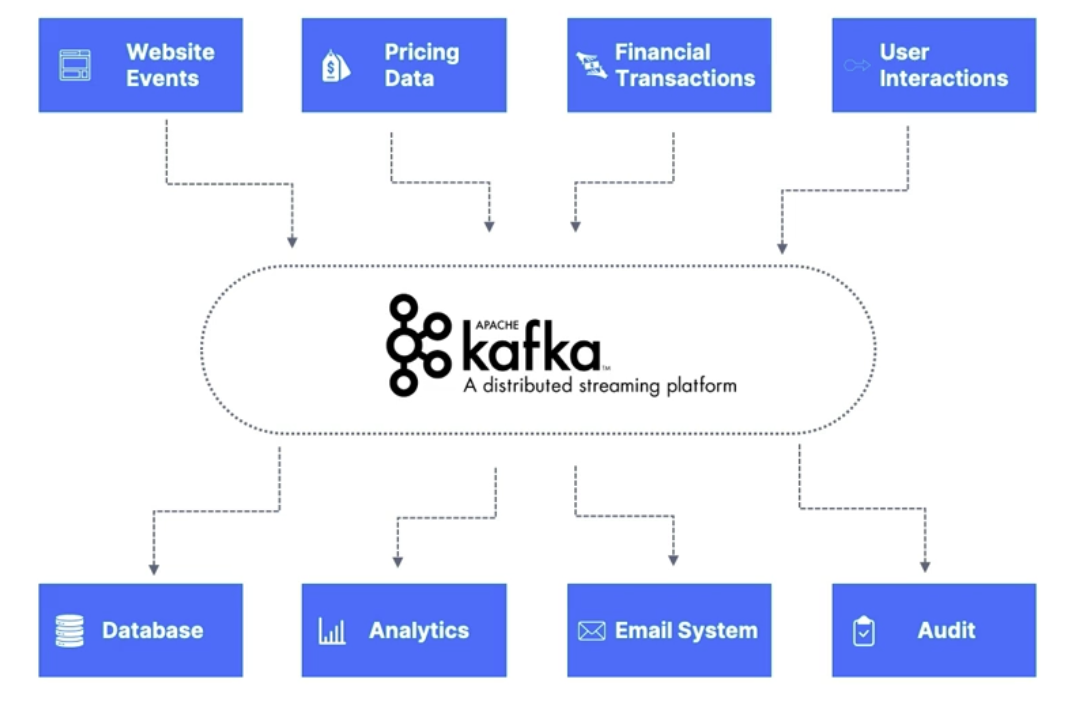
Use cases
- Messaging System
- Activity Tracking
- Gather metrics from many different locations
- Application Logs gathering
- Stream processing (with the Kafka Streams API for example)
- De-coupling of system dependencies
- Integration with Spark, Flink, Storm, Hadoop, and many other Big Data technologies
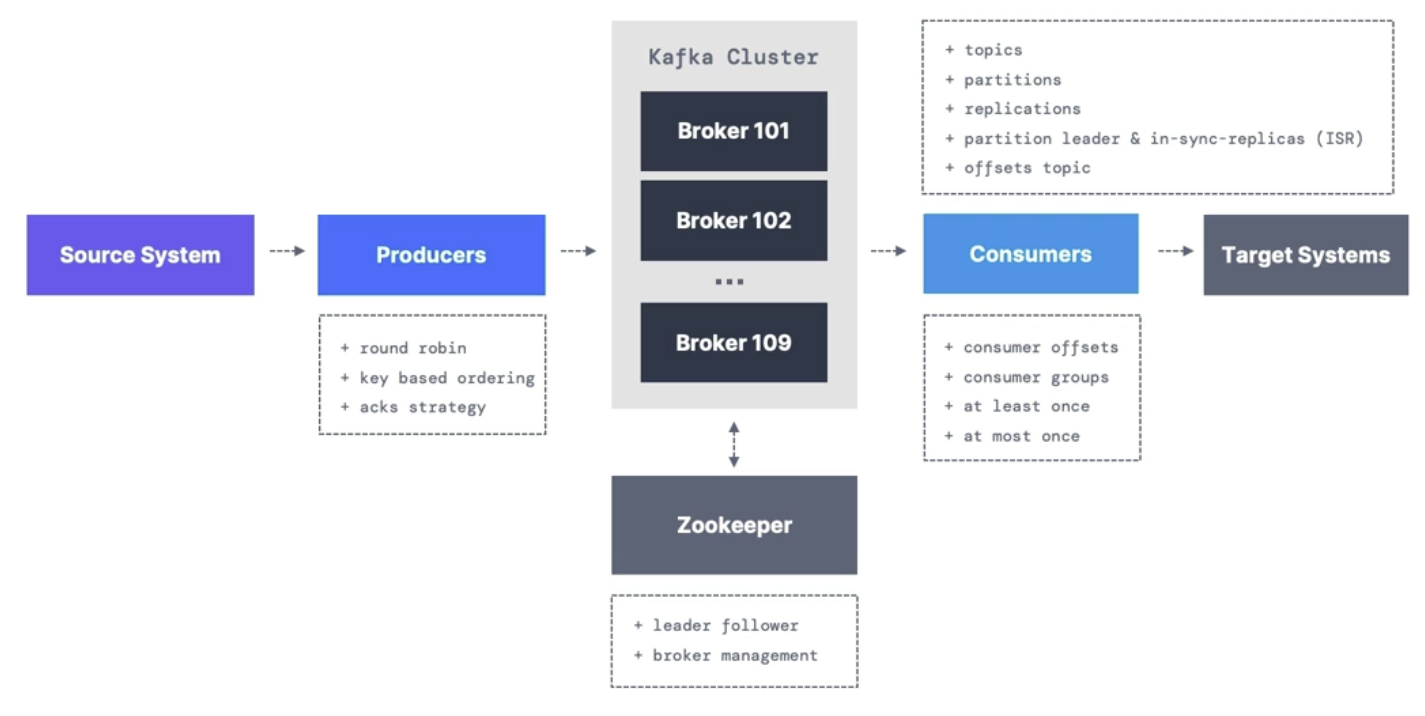
Theory
- Topics
- A particular stream of data
- Like a table in a database (without all the constraints)
- You can have as many topics as you want
- A topic is identified by its name
- Any message format
- The sequence of messages is called a data stream
- You cannot query topics, instead, use Kafka Producers to send data and Kafka Consumers to read the data
- Partitions and offsets
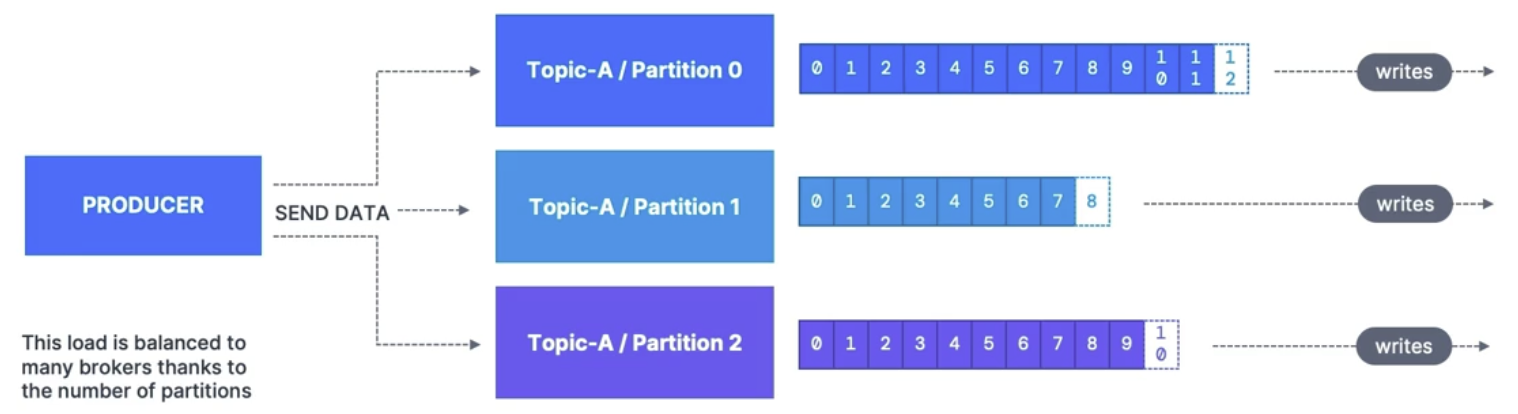
- Topics are split into partitions (for example: 100 partitions)
- Message within each partition is ordered
- Each message within a partition gets an incremental ID, called an offset
- Kafka topics are immutable: once data is written to a partition, it cannot be changed
- Data is kept only for a limited time (default is one week - configurable)
- Data is assigned randomly to a partition unless a key is provided
- The number of partitions is unlimited
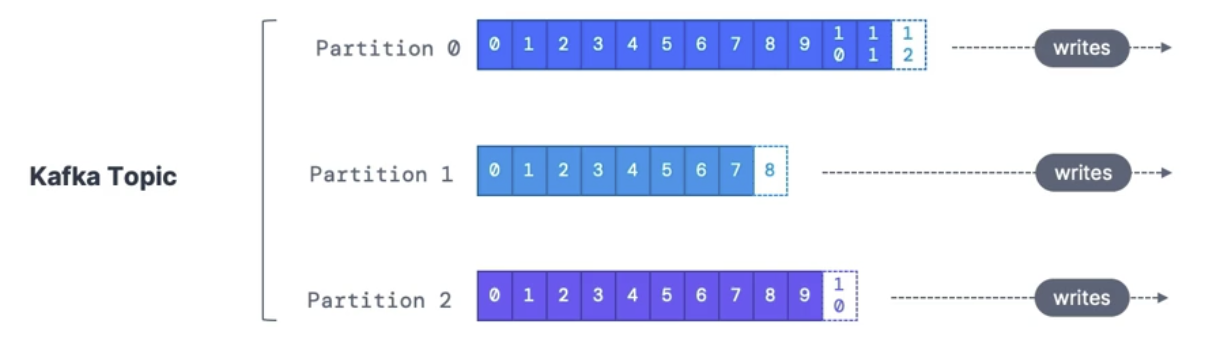
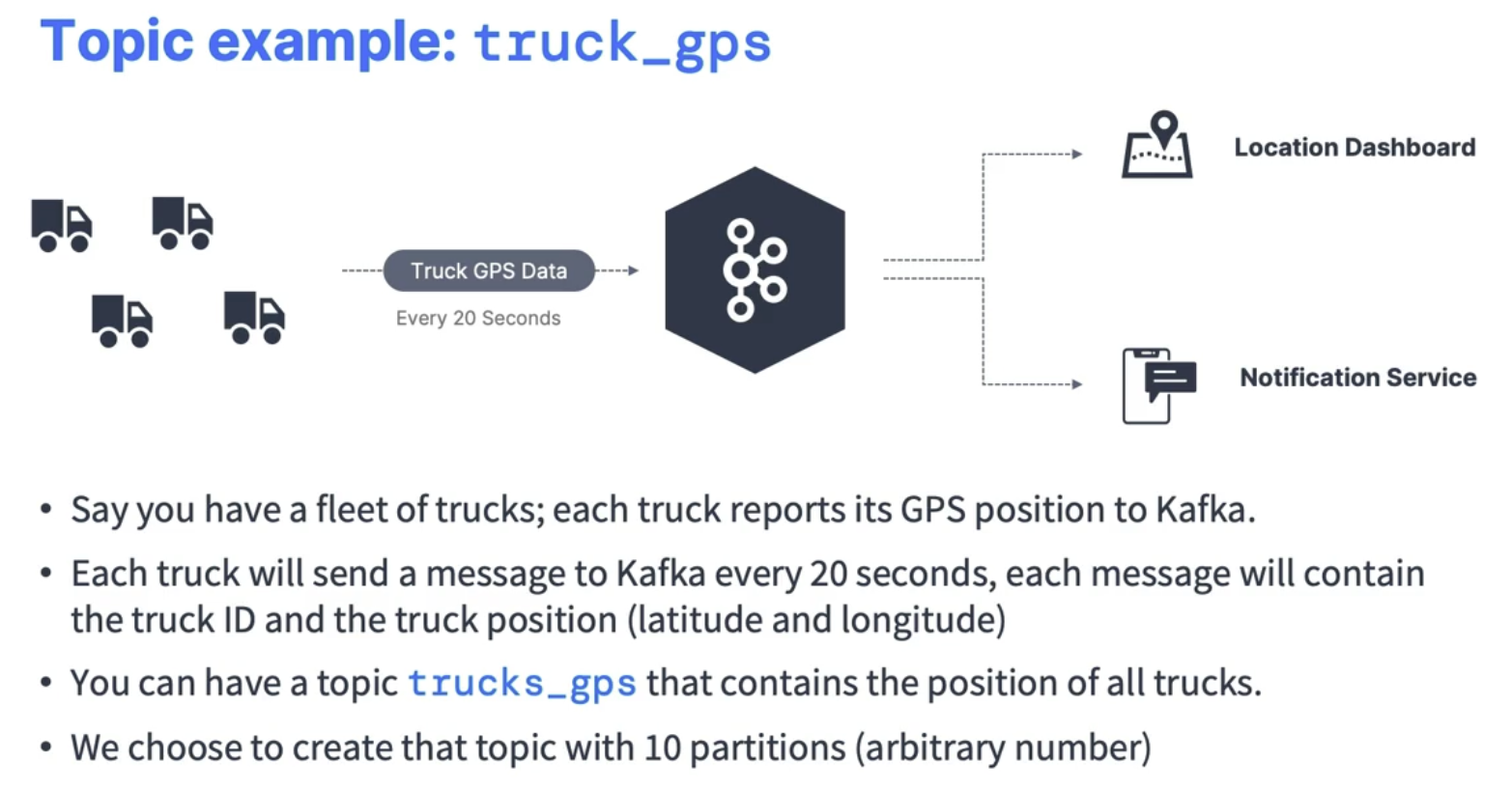
- Topics are split into partitions (for example: 100 partitions)
- Producers
- Write data to topics (which are made of partitions)
- Know to which partition to write (and which Kafka broker has it)
- In case of Kafka broker failures, Producers will automatically recover
- Message keys
- choose to send a key with the message (string, number, binary, etc ...)
- If key = null, data is sent round robin (partition 0, then 1, then 2)
- If not, then all messages for that key will always go to the same partition (hashing)
- A key are typically sent if you need message ordering for a specific field
- Message anatomy
- Key
- Value
- Headers
- Compression Type (None, gzip, snappy, lz4, zstd)
- Partition Offset
- Timestamp
- Consumers
- read data from a topic
- automatically know which broker to read from
- In case of broker failures, consumers know how to recover
- data is read in order from low to high offset within each partition
- Consumers Group
- Each consumer within the group reads from exclusive partitions
- if you have more consumers than partitions, some consumers will be inactive
- It's acceptable to have multiple consumer groups on the same topic
- To create distinct consumer groups, use the consumer property group.id
- Consumer Offsets
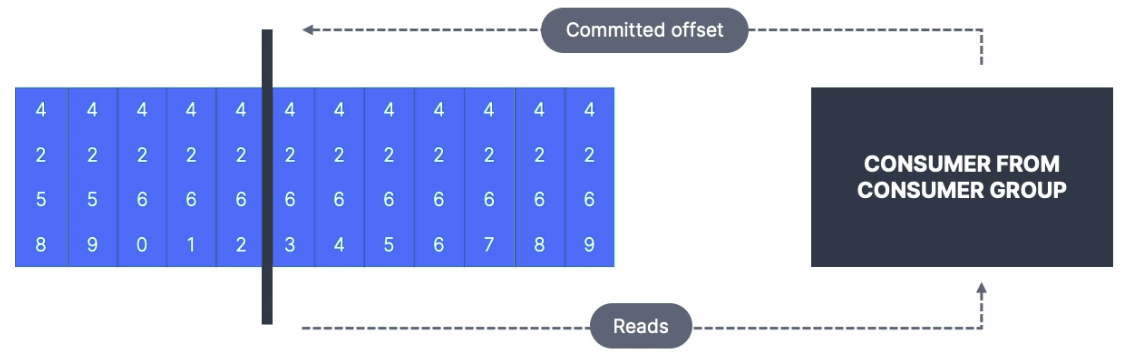
- Kafka stores the offsets at which a consumer group has been reading
- The offsets committed are in the Kafka topic named
__consumer_offsets - When a consumer in a group has processed data received from Kafka, it should be periodically committing the offsets (the Kafka broker will write to
__consumer_offsets, not the group itself) - If a consumer dies, it will be able to read back from where it left off thanks to the committed consumer offsets
- Delivery Semantics for consumers
- By default, Consumers will automatically commit offsets (at least once)
- There are 3 delivery semantics if you choose to commit manually
- At least once (usually preferred)
- Offsets are committed after the message is processed
- If the processing goes wrong, the message will be read again
- This can result in duplicate processing of messages. Make sure your processing is idempotent
- At most once
- Offsets are committed as soon as messages are received
- If the processing goes wrong, some messages will be lost
- Exactly once
- Kafka workflows: Use the Transactional API (easy with Kafka Streams API)
- External System workflows: use an idempotent consumer